> For the complete documentation index, see [llms.txt](https://help.slidespilot.com/llms.txt). Markdown versions of documentation pages are available by appending `.md` to page URLs; this page is available as [Markdown](https://help.slidespilot.com/slidespilot-help-center-yue/ji-hua-tong-zhang-dan/guan-li-ding-yue.md).
# 管理訂閱
呢啲條款會喺你訂閱時顯示喺我哋嘅定價頁面。訂閱即表示你同意呢啲條款。
### 喺 SlidesPilot 管理你嘅訂閱
一旦你喺 SlidesPilot 訂閱咗任何收費方案,你可以透過以下步驟管理或取消你嘅訂閱:
{% stepper %}
{% step %}
#### 步驟 1 - 登入 SlidesPilot
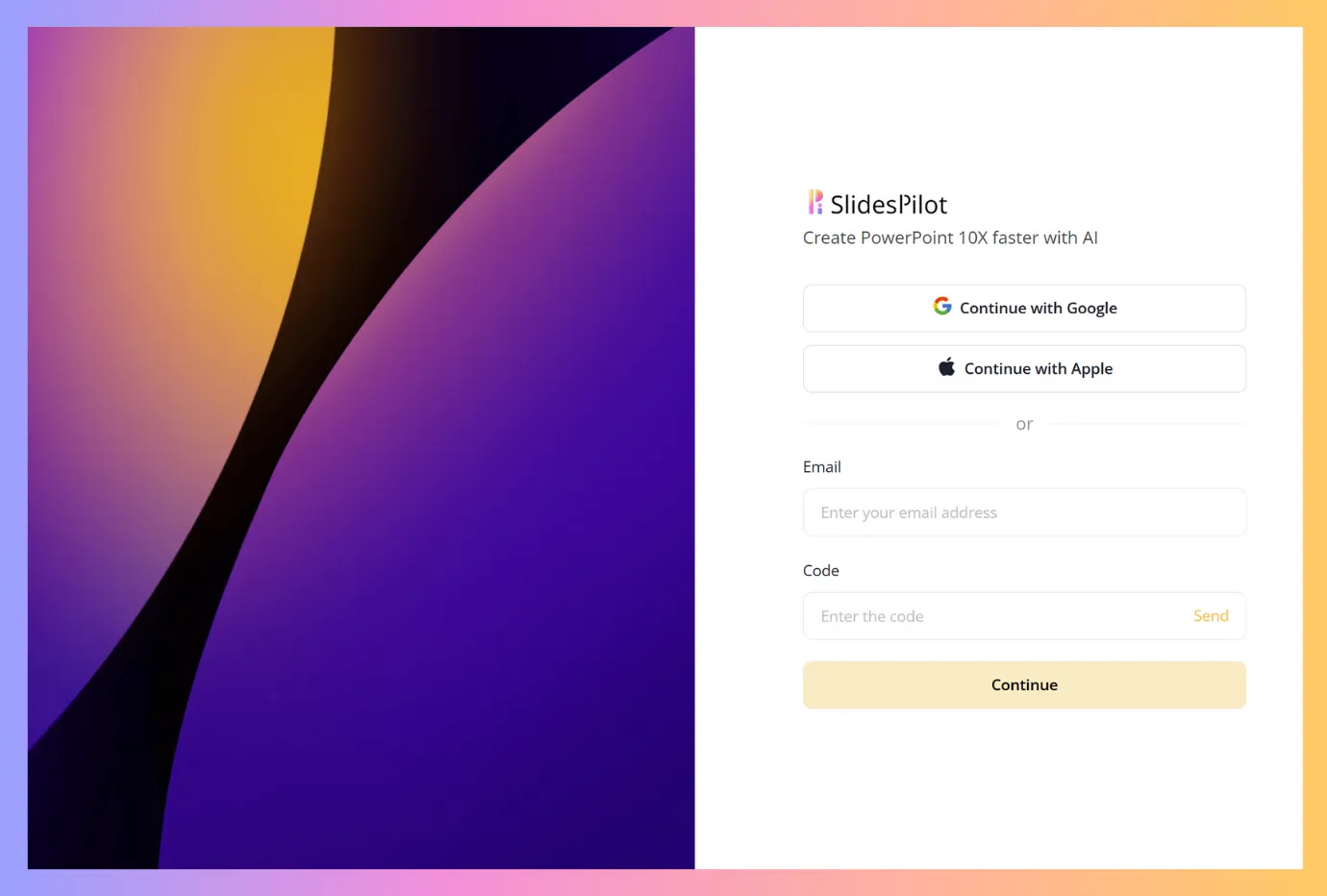
登入 SlidesPilot 好簡單。揀用你嘅 Google 帳戶或 Apple 帳戶一鍵登入(新用戶會自動註冊)。呢個可以幫你儲存工作。或者你可以用電郵地址——我哋會傳送驗證碼俾你,你可以喺我哋嘅登入頁面輸入驗證碼去存取你嘅帳戶。
{% endstep %}
{% step %}
#### 步驟 2 – 檢視你嘅方案同訂閱
登入後,你會喺你嘅工作區。左邊有個側邊欄可以導航。按「檢視方案」去打開方案同賬單頁面。
向下捲動去搵賬單部分,喺度你會見到 **管理我嘅訂閱**: 呢個係你處理所有訂閱相關更改嘅主要中樞。用呢個連結可以進入你喺 Stripe 嘅個人賬單入口,喺度你可以升級或降級方案、更新付款方式、查看同下載過往發票,或者取消訂閱。
{% endstep %}
{% step %}
#### 步驟 3 - 管理或取消你嘅訂閱
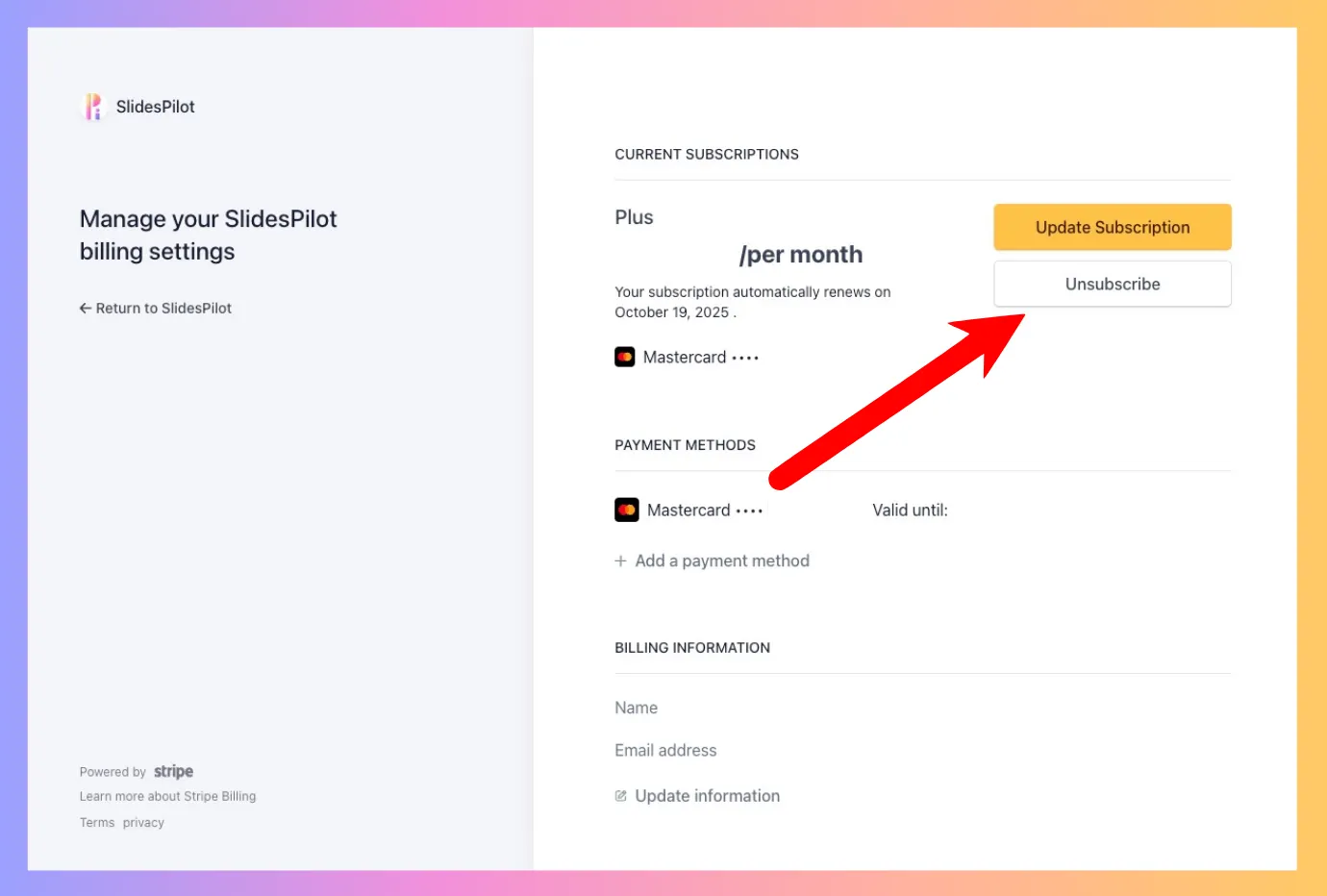
而家你會被導向 Stripe,呢個係我哋使用嘅付款閘道。喺度會俾你完整概覽你嘅有效方案,並提供更改選項。
* **方案詳情**: 你可以睇到你而家嘅訂閱方案(例如 Plus)同佢設定自動續訂嘅日期。
* **更新訂閱**: 如果你想更改方案,例如升級到另一個等級以使用更多功能,請使用呢個按鈕。
* **取消訂閱**: 要取消你嘅訂閱,你可以按 **取消訂閱** 個按鈕。咁樣會喺你目前計費週期結束時停止自動續訂。
{% endstep %}
{% endstepper %}
### 下載你嘅收據/發票
{% stepper %}
{% step %}
步驟 1 — 搵你嘅賬單記錄
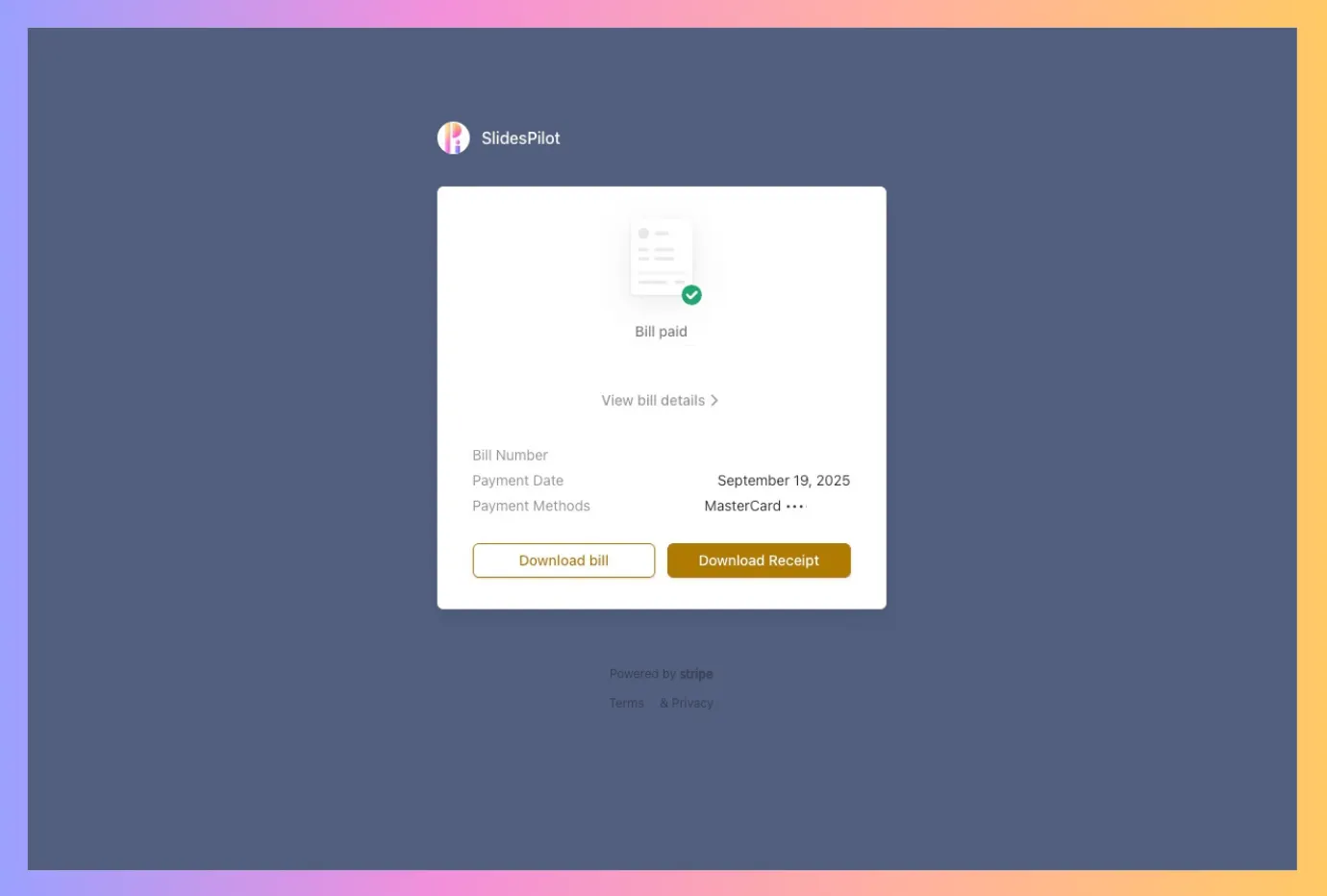
跟住上面步驟去到 Stripe 後,向下捲動可以睇到所有付款記錄嘅列表。按任何一筆付款記錄會打開新視窗。
{% endstep %}
{% step %}
步驟 2 — 下載你嘅發票
喺呢個新視窗,你會見到可以將該筆付款嘅收據以 PDF 下載嘅選項。
{% endstep %}
{% endstepper %}
### 常見問題
點解會收費?
如我哋喺定價頁面清楚說明,我哋提供訂閱服務。你嘅訂閱會自動續期並喺每個週期(月度或年度)向你收費,直到你取消為止。你可以依照呢啲指示即刻取消以避免未來被收費。
點解我已經俾咗錢但喺帳戶入面睇唔到任何訂閱?
通常呢情況係因為你有多個 SlidesPilot 帳戶。你可能用咗另一個帳戶登入,而嗰個帳戶先係有有效訂閱。試下用其他 Google 帳戶登入、檢查你之前有冇用 Apple 登入,或者聯絡我哋幫手確認邊個帳戶有訂閱。
我取消訂閱後幾時會收到退款?
退款唔會自動處理。請參考我哋嘅 [退款政策](/slidespilot-help-center-yue/ji-hua-tong-zhang-dan/tui-kuan-zheng-ce.md) 了解詳細資訊。
乜嘢係退款政策?
有關我哋退款流程同合資格要求嘅完整詳情,請瀏覽我哋嘅 [退款政策](/slidespilot-help-center-yue/ji-hua-tong-zhang-dan/tui-kuan-zheng-ce.md).
---
# Agent Instructions
This documentation is published with GitBook. GitBook is the documentation platform designed so that both humans and AI agents can read, navigate, and reason over technical content effectively. Learn more at gitbook.com.
## Querying This Documentation
If you need additional information that is not directly available in this page, you can query the documentation by asking a question.
Perform an HTTP GET request on the following URL with the `ask` and `goal` query parameters:
```
GET https://help.slidespilot.com/slidespilot-help-center-yue/ji-hua-tong-zhang-dan/guan-li-ding-yue.md?ask=&goal=
```
`ask` is the immediate question: it should be specific, self-contained, and written in natural language.
`goal` is what the user is ultimately trying to achieve, the reason they need the answer. Sharing it helps GitBook give you a better, more relevant answer. A goal is most helpful when it describes the outcome the user wants rather than restating the question. For example, with `ask=how do I create an API token`, a goal like `automate deployments from our CI pipeline` lets GitBook tailor the answer to that use case.
The response will contain a direct answer to the question and relevant excerpts and sources from the documentation.
Use this mechanism when the answer is not explicitly present in the current page, you need clarification or additional context, or you want to retrieve related documentation sections.